Markdown-based Knowledge Bases & Second Brains
Build a knowledge base from plain markdown files: Obsidian, wiki-links, backlinks, structure that emerges as you go — and publishing when you're ready. The full guide.

Markdown-based Knowledge Bases
A knowledge base – personal wiki, "second brain", team brain, call it what you like – is a pile of notes plus links between them. That's the whole architecture. Every knowledge tool ever built (Notion, Roam, Evernote, Confluence, your abandoned wiki of choice) is that, plus an editor, plus lock-in.
The markdown-based version: the notes are files, the links are [[wiki-links]], and the pile is a folder on your disk. It sounds almost too simple. It's also, quietly, what the best-regarded tool in the space (Obsidian) actually is underneath, and why people trust it: the app could vanish tomorrow and your knowledge base would still be sitting there, readable in anything.
The pattern
Four conventions do nearly all the work:
- One note per idea, one file per note.
markdown-database-pattern.md,hermione.md,2026-07-18.md. Small notes link better than big documents. - Link liberally with
[[wiki-links]]. Every link you make now is a path you'll rediscover later. Links to notes that don't exist yet are fine – they're a to-do list for your thinking. - Frontmatter when notes need fields. A
status:here, arating:there, and suddenly parts of your knowledge base behave like a database. - Let structure emerge. Don't design a grand folder taxonomy on day one; you'll design the wrong one. Make folders when a pile obviously wants one. Tags for the rest.
That last point deserves emphasis because it's where knowledge bases usually die. The proprietary tools sell you elaborate structure upfront (workspaces! nested pages! templates for your templates!) and the structure becomes the procrastination. Plain files are wonderfully resistant to this: the only thing you can really do is write notes and link them, which happens to be the thing that works.
The tools
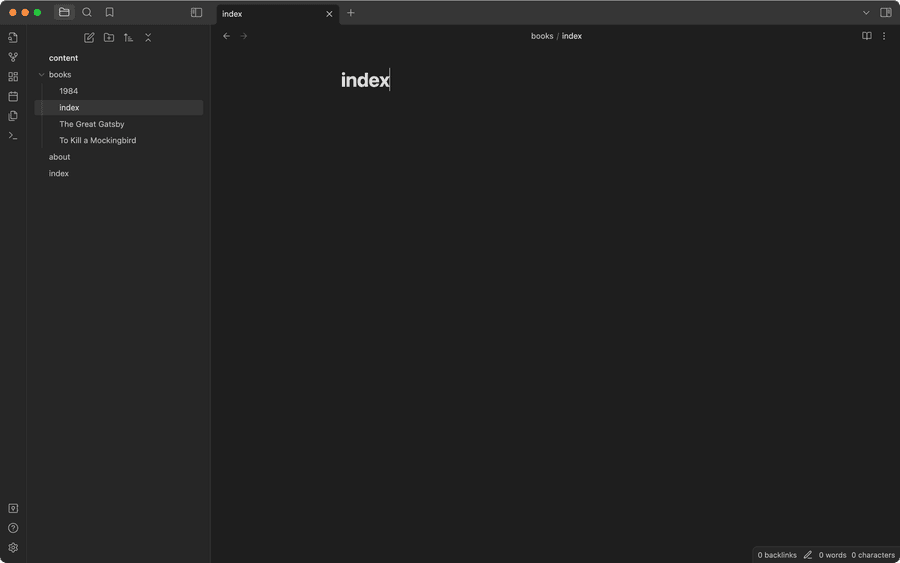
Obsidian is the champion and the right default: local markdown files, live preview, backlinks pane, graph view, thousands of plugins, free. Genuinely lovely to live in. This is all it is — folders of files, being edited:
(Cursor and VS Code work too, if you're that way inclined.)
Git + GitHub underneath gives you history, sync between machines, and collaboration when a team shows up. Pushing an Obsidian vault to GitHub takes ten minutes and upgrades your knowledge base from "files on my laptop" to "versioned, backed up, shareable".
AI tools are the new arrival, and they change the game more than any plugin: an AI agent (Claude Code, Codex etc) pointed at your vault can search it, summarise it, refile it, fix your links, and draft new notes from old ones – because AI speaks markdown natively. Your notes become a workspace the AI operates in, not a silo it can't see. How we do it.
A publisher, when you want some or all of it public: Flowershow renders wiki-links and backlinks properly and publishes straight from a repo or from Obsidian. A published knowledge base is a digital garden – that guide covers the public-facing angle.
Watch it built end-to-end
The whole stack – markdown, Obsidian, git, AI, publishing – in one walkthrough:
And a more advanced setup, running actual projects and issue tracking from a markdown knowledge base with the PARA method:
Getting started (30 minutes, honestly)
- Make a folder. Open it in Obsidian as a vault.
- Write today's first note. Link to two notes that don't exist yet.
- Write those. You now have a knowledge base 🎉
- This week: add the catalog trick for anything list-shaped, and put it on GitHub.
- When you're proud of it: publish the good parts.
Escaping from somewhere? Notion, Evernote and Roam all export to (roughly) markdown – the Notion escape guide covers the messy details, and the same shape applies to the others.
Twenty years from now, whatever app you're using then will open these files. Try saying that about a workspace. That's the way of markdown.
